Step 2: Visit the UNIMAK Website
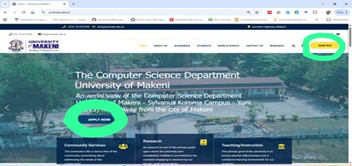
- Open your browser and go to: www.unimak.edu.sl
- On the homepage, click the “Apply Now” button located at the top right-hand corner.
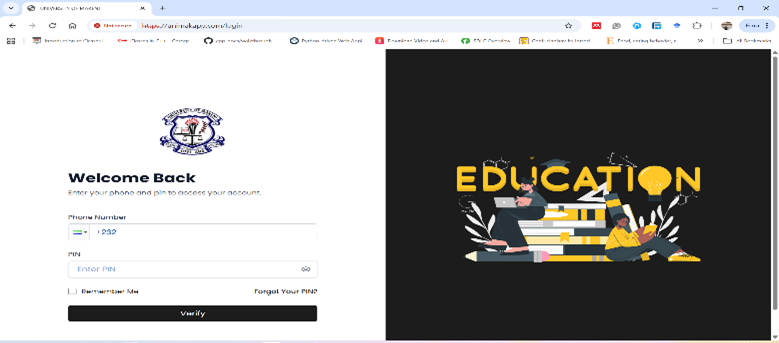
Step 3: Verify Your Application PIN
- Enter the phone number you used when paying at Ecobank.
- Enter the PIN you received via SMS.
- Click on the “Verify” button.
Step 4: Complete the Online Application Form
- Fill in all required personal and academic information carefully.
- Upload the necessary supporting documents (if required).
- Review your information to ensure everything is correct.
- Submit your application.
Step 5: Confirmation
- After submission, you should receive a confirmation message.
- Keep checking your phone and email for further communication from the University.